Home Battery Troubleshooting in Ireland: Common Problems Solved
Battery not reaching full charge? Draining faster than expected? App showing an error code? This guide walks through the most common home battery problems in Ireland and their solutions.
By Smart Solar Editorial · Updated 15 May 2026 · 8 min read
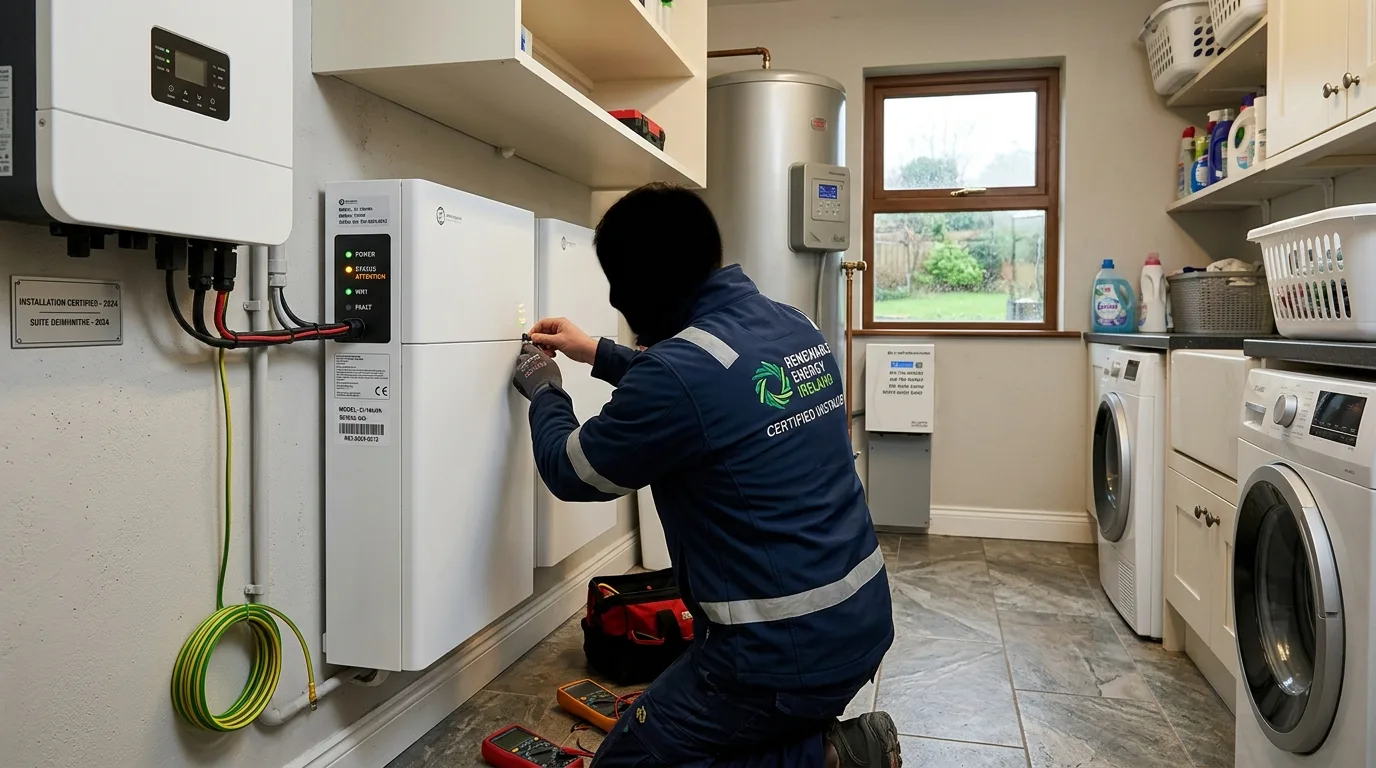
Troubleshooting Your Home Battery: Where to Start
Home batteries are generally reliable — modern LFP units from reputable brands have low failure rates. But problems do occur, and when they do, the symptoms can be confusing. Before calling your installer (which you should do for any persistent or serious fault), this guide helps you identify whether you have a genuine fault or a configuration issue that you can resolve yourself.
Always check the monitoring app first. The vast majority of apparent battery problems are actually configuration issues, tariff setting mismatches, or normal seasonal variation — none of which require a service call.
Problem 1: Battery Is Not Charging from the Grid
Symptoms
- Battery SoC is low in the morning despite setting a night-rate charge window
- App shows no grid charging activity during the expected off-peak period
- Battery appears to be running on solar or discharging overnight
Likely Causes and Solutions
Cause A: Timed charge window is set incorrectly The most common cause. Check your battery app's charge time settings. For Electric Ireland Smart Plan, the off-peak window is 02:00–04:00 — not midnight to 6am, which is a common default from UK factory settings.
Fix: Open your app, navigate to charge time settings, and set the exact window for your tariff. Electric Ireland: 02:00–04:00. Energia: 23:00–07:00.
Cause B: "Charge from grid" or "AC charge" is disabled Some battery systems have a separate toggle for allowing grid charging (versus charging only from solar).
Fix: In your app, confirm that "AC Charge Enable" or "Allow Grid Charging" is turned ON within the timed charge window.
Cause C: Target SoC is set below current state of charge If your target SoC is 80% and the battery is already at 85%, it won't charge from the grid even during the off-peak window.
Fix: Increase the target SoC to 95% or 100% for overnight charging.
Cause D: Inverter communication fault If the inverter and battery are not communicating correctly (often shown as a communication error in the app), the battery may default to passive mode.
Fix: Try power-cycling the inverter (turn off AC disconnect and DC isolator, wait 5 minutes, restart). If the error persists after restart, contact your installer.
Problem 2: Battery Is Draining Too Fast
Symptoms
- Battery reaches 0% (or minimum SoC) by early evening
- Savings are lower than expected
- Grid import during evening hours is similar to before installation
Likely Causes and Solutions
Cause A: Higher household consumption than expected A particularly common issue in winter when heating loads increase, or when an EV has been added to the household.
Fix: Check your consumption data in the app. If daily usage has increased significantly, you may need a larger battery or to add solar to fill the battery from solar during the day.
Cause B: Battery is discharging at night when it shouldn't be If the discharge schedule includes nighttime hours, the battery drains overnight on low-value loads (standby power, etc.) rather than reserving capacity for high-value evening discharge.
Fix: Set the discharge window to cover only the hours when peak demand occurs — typically 07:00–22:00. Restrict discharge to zero or minimum during 22:00–06:00 to preserve charge for morning.
Cause C: Backup reserve is set too low If minimum SoC is 5% and the battery reaches this by midnight, it has nothing left for morning demand.
Fix: Increase minimum SoC to 10–20% to maintain an emergency reserve.
Cause D: Battery capacity has degraded more than expected An older battery (5+ years) with heavy cycling may have lost 15–20% of capacity. This is normal — but if capacity loss seems excessive for a newer battery (say, 20% loss in 2 years), this may be a warranty claim situation.
Fix: Check your battery's health data in the app (some brands show capacity degradation). If degradation seems excessive, contact your installer and manufacturer for a warranty assessment.
Problem 3: Solar Is Not Charging the Battery
Symptoms
- Solar generation is visible in the app but battery SoC doesn't increase
- Solar generation is going directly to the grid (high export during daylight)
- Battery charges from grid at night but stays low during sunny days
Likely Causes and Solutions
Cause A: Battery mode is set to "Back-up only" or "Grid priority" instead of "Self-consumption"
Fix: Open your app and confirm the battery mode is set to Self-Consumption or Solar Priority (terminology varies by brand). This instructs the battery to prioritise charging from solar before exporting.
Cause B: Solar generation is below the battery's minimum charge threshold Some batteries require a minimum surplus before they begin charging (e.g., 500 W surplus over house load). On overcast days with very low solar output, the surplus may never reach this threshold.
Fix: This is normal behaviour, not a fault. You cannot do much about low solar days. Ensure night-rate charging compensates.
Cause C: CT clamp (current transformer) is incorrectly installed The CT clamp measures your home's net consumption to determine how much solar surplus is available. If installed on the wrong cable or in the wrong direction, the EMS may not detect surplus correctly.
Fix: This requires your installer to attend and verify the CT clamp installation. Check the app's import/export readings against your smart meter data — if they differ significantly, the CT clamp may be the issue.
Cause D: Inverter fault (typically shown with error code)
Fix: Record the error code, power-cycle the inverter (turn off AC and DC isolators, wait 5 minutes, restart). If the error recurs, report to your installer with the error code.
Problem 4: Battery Showing Error Codes
Reading Error Codes
Most battery systems display error codes on the inverter LCD display or in the monitoring app. Common error types:
| Code Type | What It Typically Means |
|---|---|
| Communication errors (e.g., "BMS Comm Fault") | Inverter-battery communication lost; often cleared by restart |
| Grid errors (e.g., "Grid Overvoltage") | ESB Networks supply voltage outside tolerance; usually transient |
| Overtemperature | Battery too hot; check ventilation, ambient temperature |
| Overcharge / Overdischarge | Battery cells went beyond safe limits; may need manufacturer attention |
| Isolation fault | Earthing or insulation issue; requires electrician |
Isolation Faults: Call Your Installer Immediately
An isolation fault (earth fault / insulation resistance fault) indicates a potential electrical safety issue. Do not continue operating the system. Isolate the battery at the isolation switch, isolate the solar array DC isolator, and contact your installer immediately.
Common Error Codes by Brand
GivEnergy: Error codes are displayed in MyGivEnergy with descriptions. Common: E033 (grid protection), E051 (overtemperature), E027 (communication fault). Check the GivEnergy support portal for code-specific guidance.
Tesla Powerwall: Faults appear in the Tesla app as alerts. The app provides a description and recommended action. Many Powerwall faults are resolved by the app itself or through a remote system reset (Tesla can sometimes do this remotely).
Solis + BYD: Solis error codes (Err_code) appear in SolisCloud. Common: E016 (grid voltage), E019 (bus voltage), Err_024 (battery communication). Power-cycle the inverter first; if the code persists, check SolisCloud support documentation.
Sonnen: sonnen app provides plain-language alerts and recommended actions. Sonnen's customer support line is responsive and often resolves software-related issues remotely.
Problem 5: MSS Export Payments Not Received
Symptoms
- Your electricity supplier is not paying MSS export tariff (expected ~18 c/kWh)
- Your bill shows import data but no export credit
Likely Causes and Solutions
Cause A: MSS registration was not completed MSS export requires registration with your electricity supplier and connection to the smart meter export metering system.
Fix: Contact your electricity supplier and confirm you are registered for the MSS. Ask for the MSS account reference number. If not registered, ask your installer to complete the registration process.
Cause B: Export limit imposed by ESB Networks (zero export) If ESB Networks imposed a zero-export limit during NC6 processing, your inverter is configured not to export — no MSS earnings.
Fix: Confirm with ESB Networks whether an export limit was imposed. If zero export was required due to network constraints, discuss with your installer whether this can be appealed or mitigated.
Cause C: Smart meter not recording export If your smart meter export register is zero, your supplier cannot calculate MSS payments.
Fix: Check your smart meter export data via the ESB Networks portal. If it's not recording export correctly, contact ESB Networks to inspect the meter configuration.
When to Call Your Installer
Call your installer (don't just email) for:
- Any isolation fault or earth fault code
- Physical damage to the battery enclosure or cells (swelling, discolouration, smell)
- Error codes that persist after a restart
- Battery capacity appears to have fallen by more than 20% within warranty period
- MSS registration problems that your supplier cannot resolve
For all other issues, try the self-troubleshooting steps above first — most configuration problems are resolvable without a service call.
Seasonal Variations That Are Normal (Not Faults)
Winter: Solar generation is much lower in November–February. Battery charges primarily from night rate. This is normal — not a fault.
Very overcast days: Battery may not charge from solar at all. Normal.
Hot summer days: Battery efficiency may drop slightly above 30°C. Normal — ensure adequate ventilation.
After a power cut: Battery may take a few minutes to resynchronise with the grid after restoring supply. Normal for grid-tied systems.
Get 3 free battery storage quotes — free and no obligation.
Frequently asked questions
Why is my battery not charging at night?
The most common cause is incorrect time-of-use settings in your battery app. Check that the off-peak charge window matches your electricity tariff exactly (e.g., 02:00–04:00 for Electric Ireland Smart Plan) and that 'AC Charge Enable' is turned on within that window.
Why is my battery running out before evening?
Either your household consumption is higher than the battery can cover (common in winter or if you've added an EV), or the battery is discharging during overnight hours when it shouldn't be. Check your discharge schedule settings and restrict discharge to daytime/peak hours only.
What does 'BMS communication fault' mean on my battery?
The inverter has lost communication with the battery management system. Try power-cycling the entire system (turn off AC and DC isolators, wait 5 minutes, restart). If the fault recurs after restart, contact your installer — it may indicate a faulty communication cable or BMS board.
My MSS export payments stopped — what should I check?
First, verify your MSS registration is active with your electricity supplier. Second, check your smart meter export data via the ESB Networks portal — if it shows zero export, the meter may need reconfiguration. Third, check whether an export limit was imposed during your NC6 process.
Is it normal for my battery to show different kWh than I expected?
Small variations (5–10%) from expected capacity are normal due to temperature effects, SoC estimation accuracy, and round-trip efficiency losses. Significant variation (>15%) in a battery less than 3 years old may warrant investigation — check your app's battery health data and contact your installer if concerned.
Sources & further reading
- ESB Networks — Smart Meter Data Portal — ESB Networks
- SEAI — Microgeneration Support Scheme — SEAI
- CRU — Electricity Customer Complaints — CRU